Know what came in, from whom and when, without opening the bank.
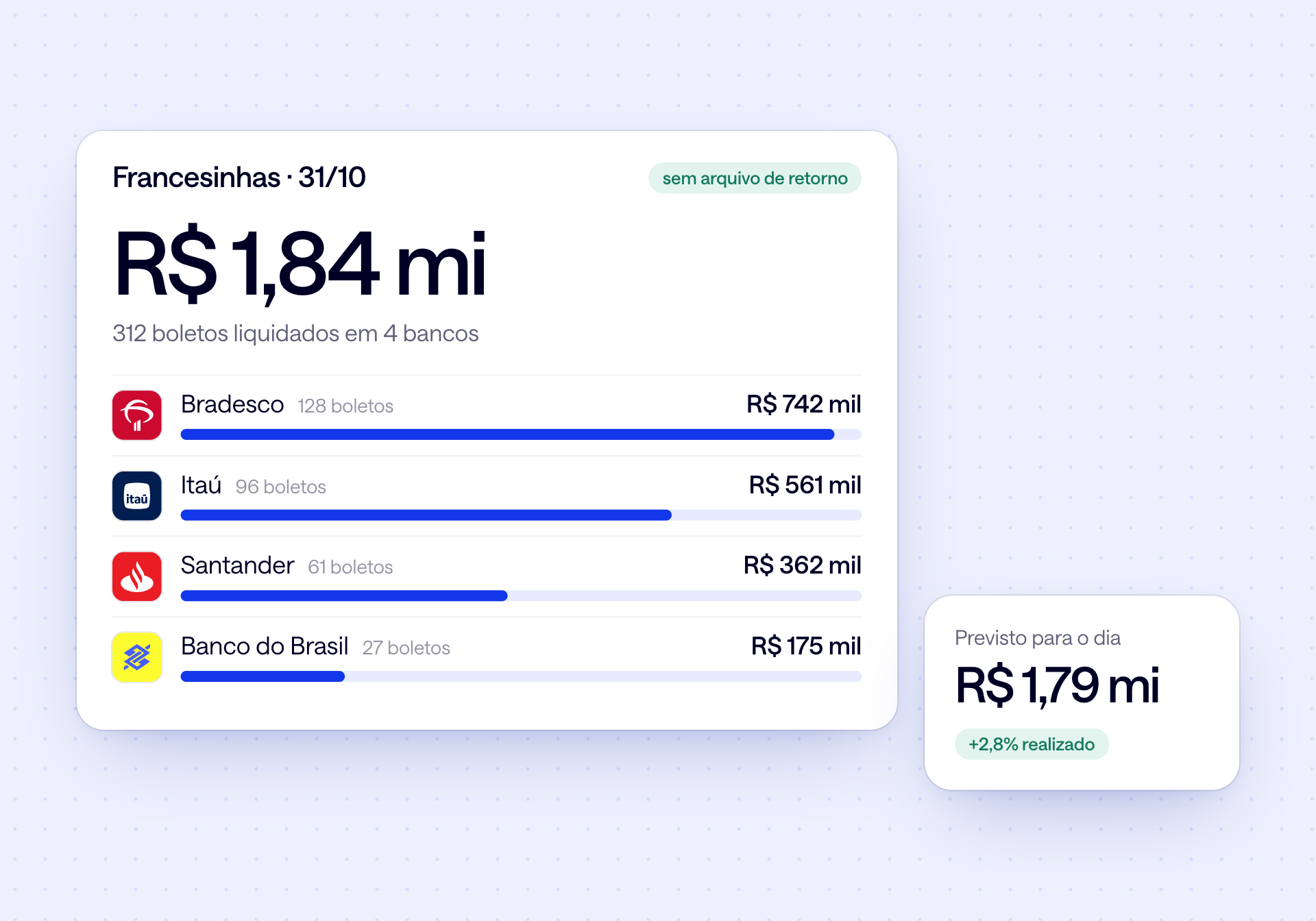
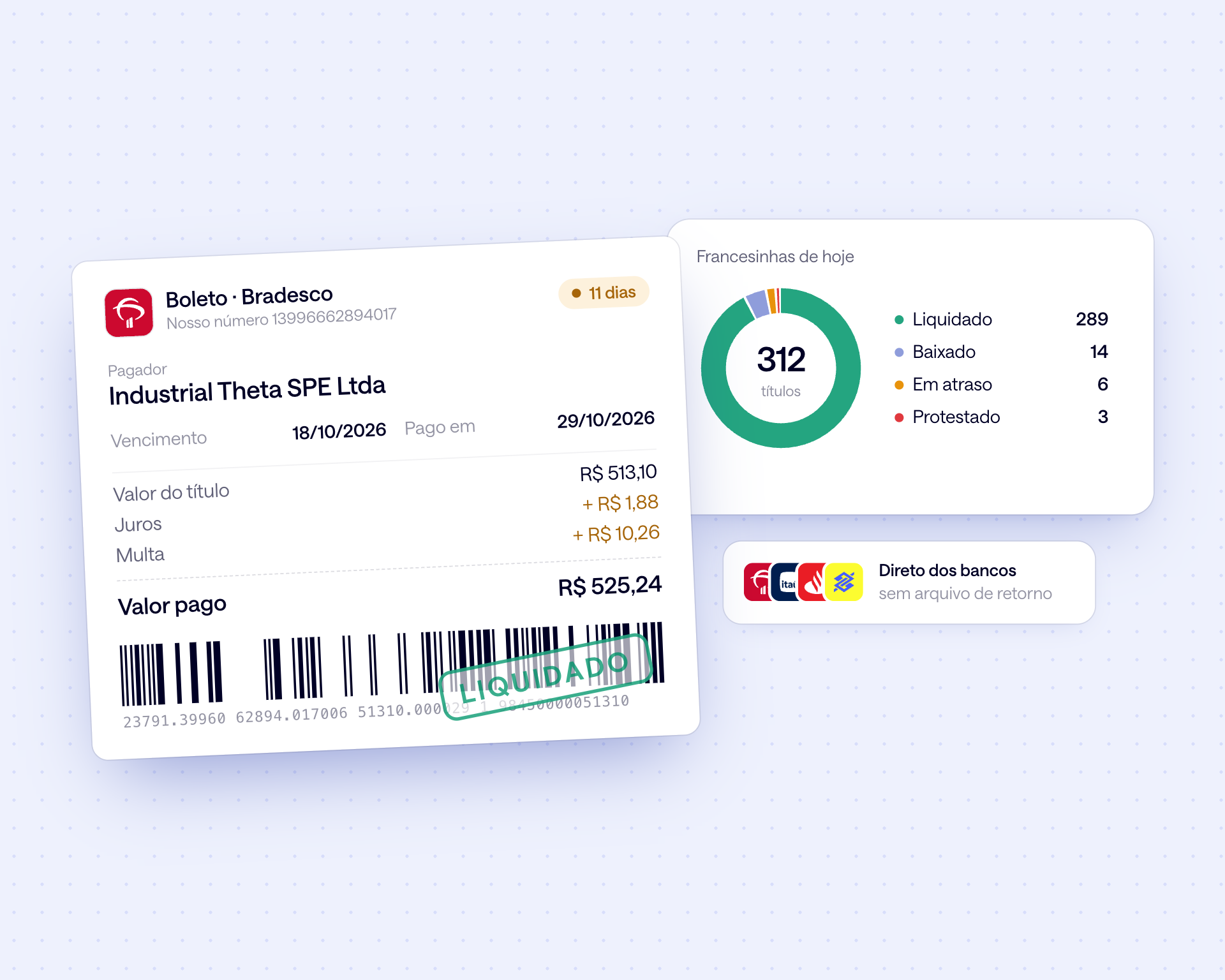
Collection reports (francesinhas) from every bank with the boleto reference number, payer and float, Pix received with the sender's tax ID, and the day's inflows against the cash flow forecast.
Receipts checked the same day they land.

Automatic collection reports
Every settled boleto, from every bank, with reference number and payer. No return files to download.

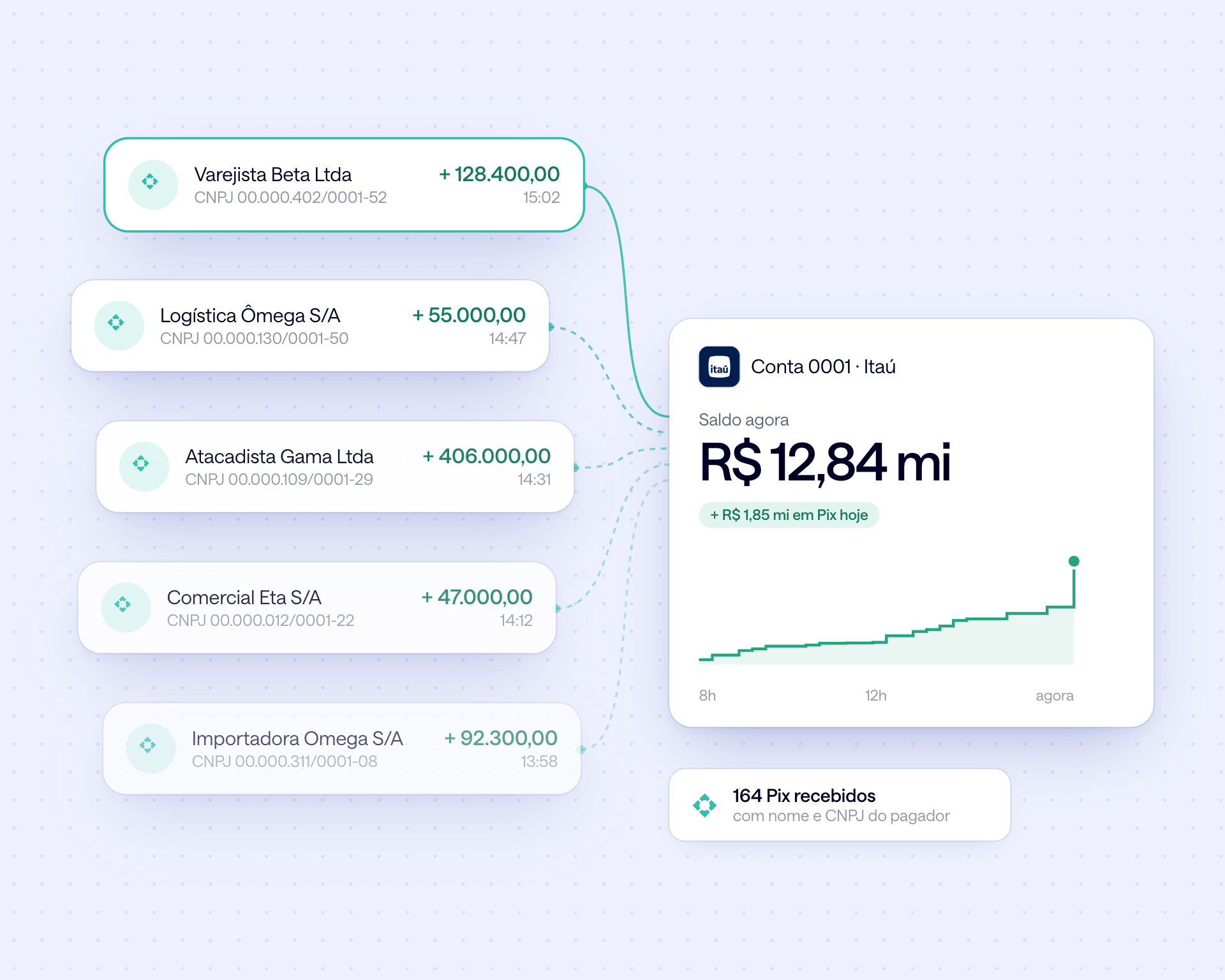
Pix with its source
Who paid, with CPF or CNPJ, which account it landed in and the receipt. Every credit arrives with a name.

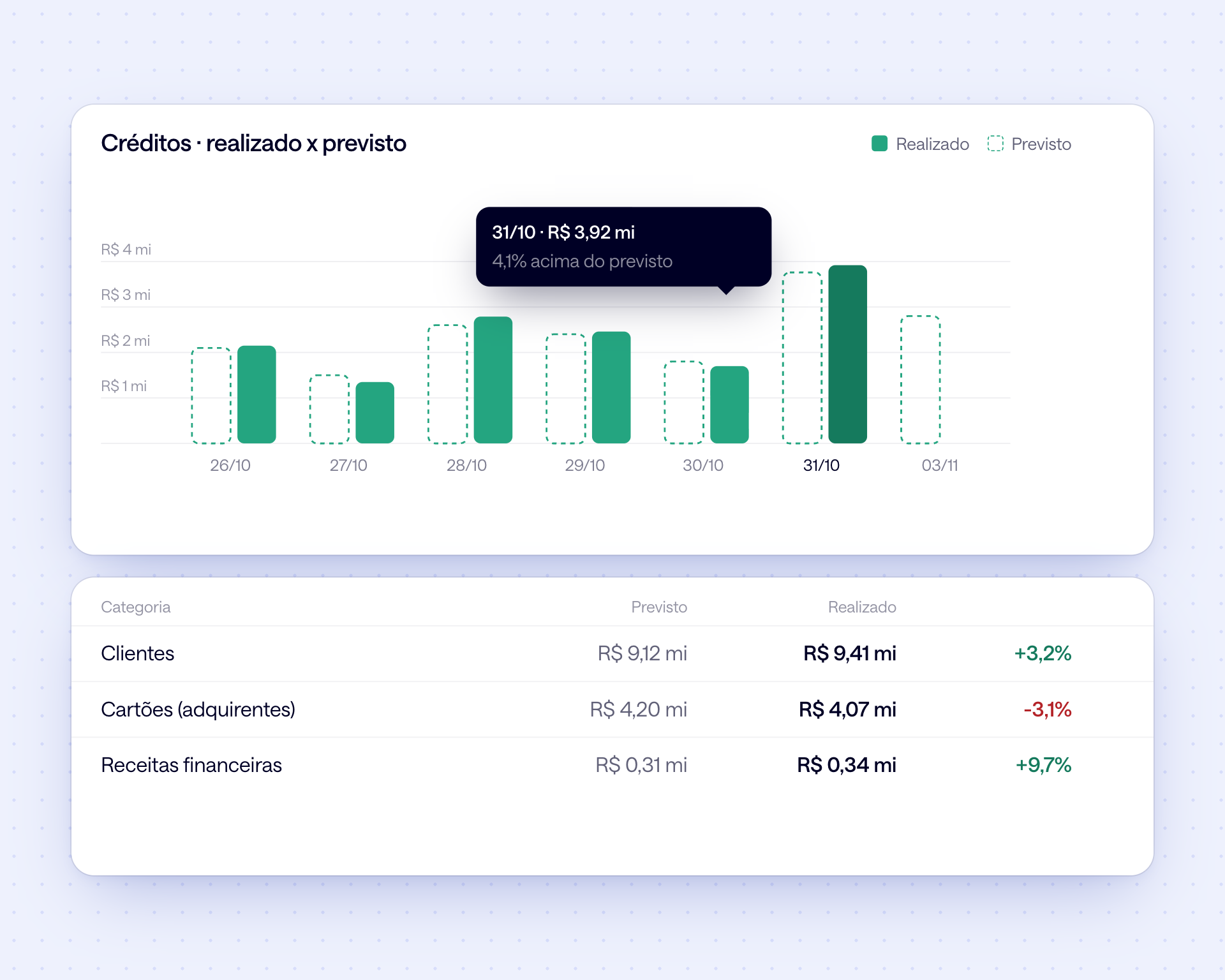
Inflows against forecast
The day's actuals matched against the cash flow. What came in today can be invested today.
A day in accounts receivable, from settled boleto to cleared invoice.
Three moments, no return files
1. Morning: what landed yesterday
Collection reports from every bank, with the total settled per bank and the forecast for the day. No return files to download from each internet banking portal.
2. During the day: check and follow up
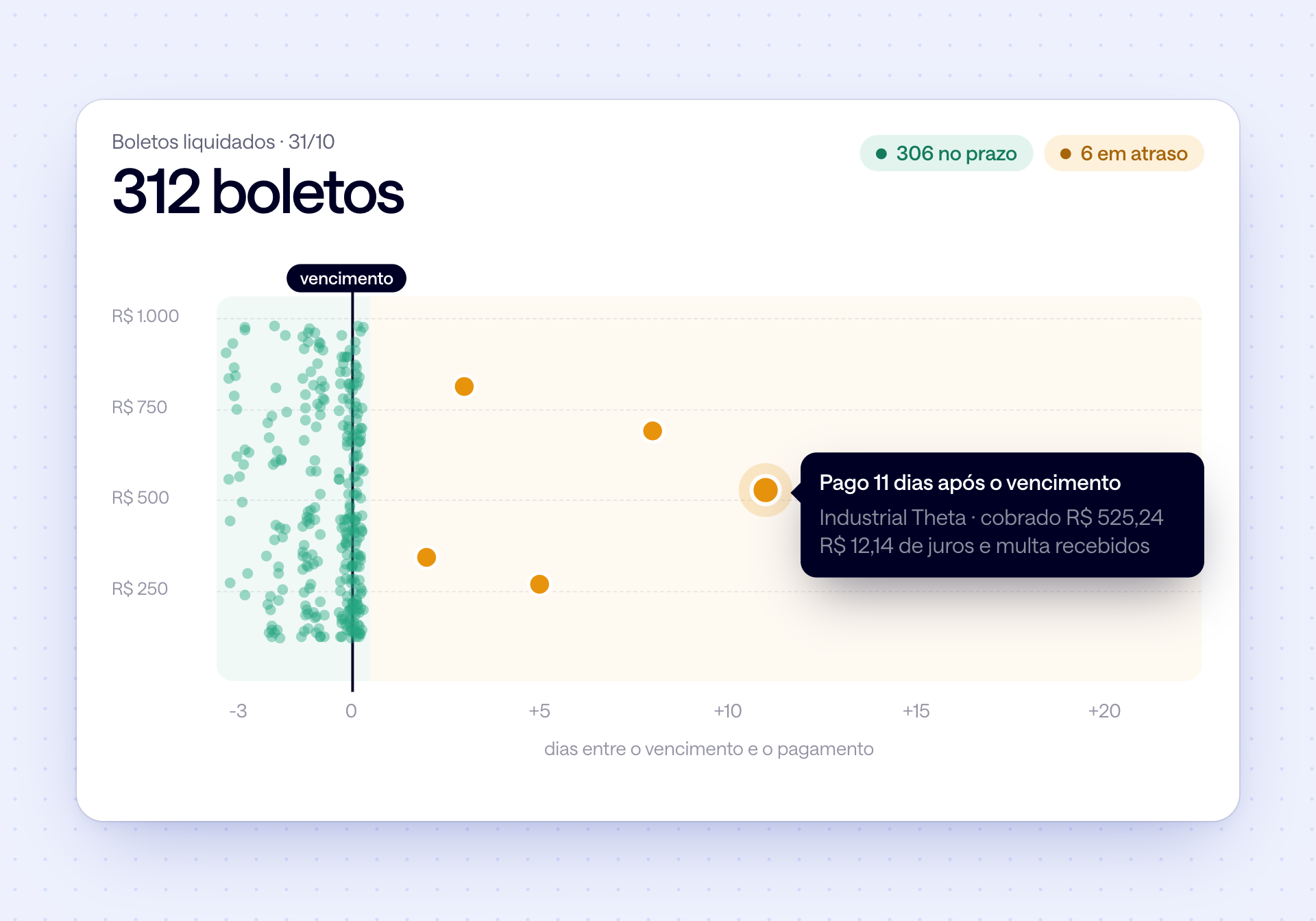
Boletos paid late show up with the float, the amount charged and the interest and penalties received. What's on time needs no attention.
3. End of day: cleared in the ERP
Export the collection reports as CSV or fetch them through the API, and the ERP clears the open invoices on its own, the same day.
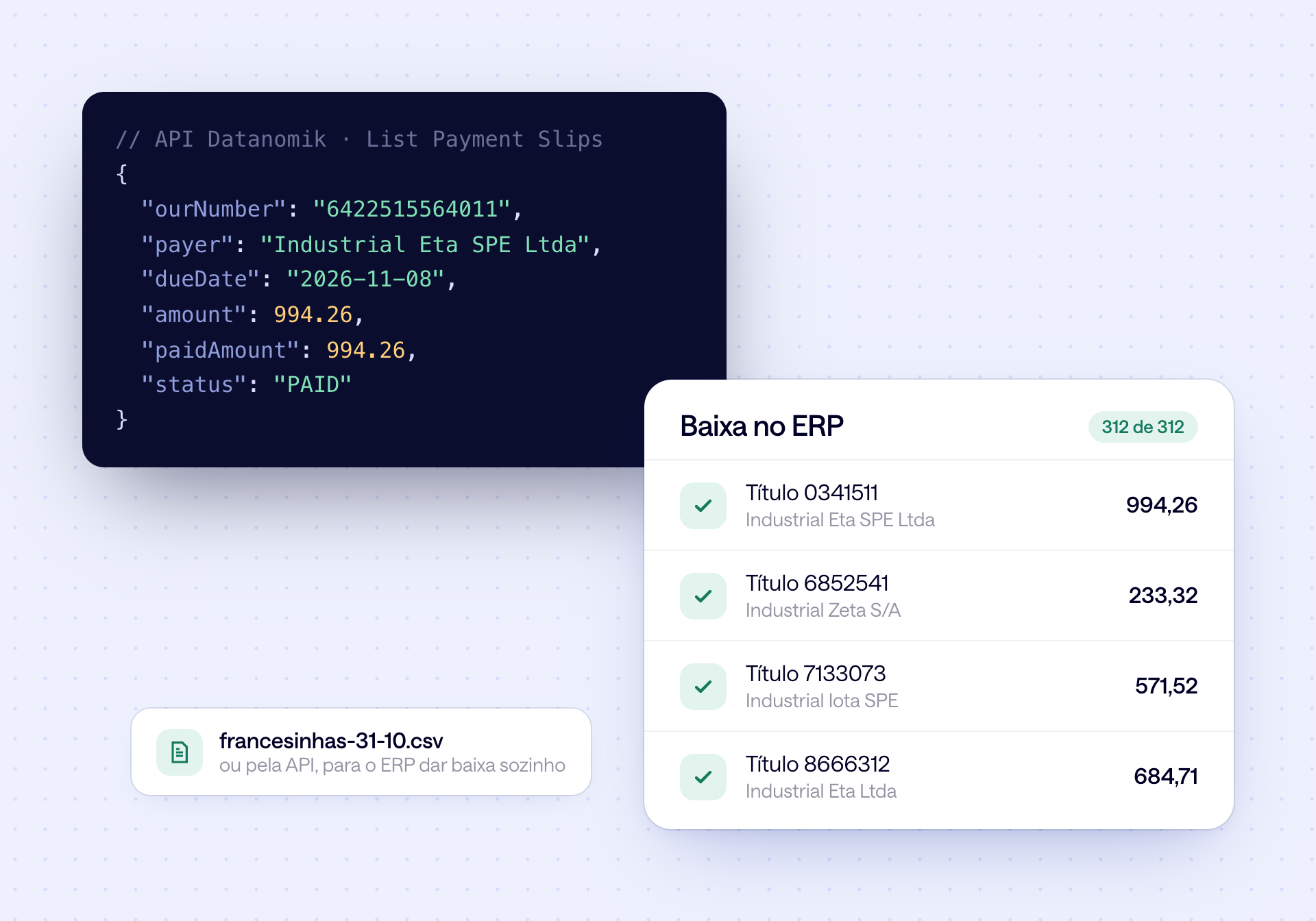
All of accounts receivable, checked on one screen.
Collection reports, Pix and inflows from every bank, standardized and ready to clear in your system.
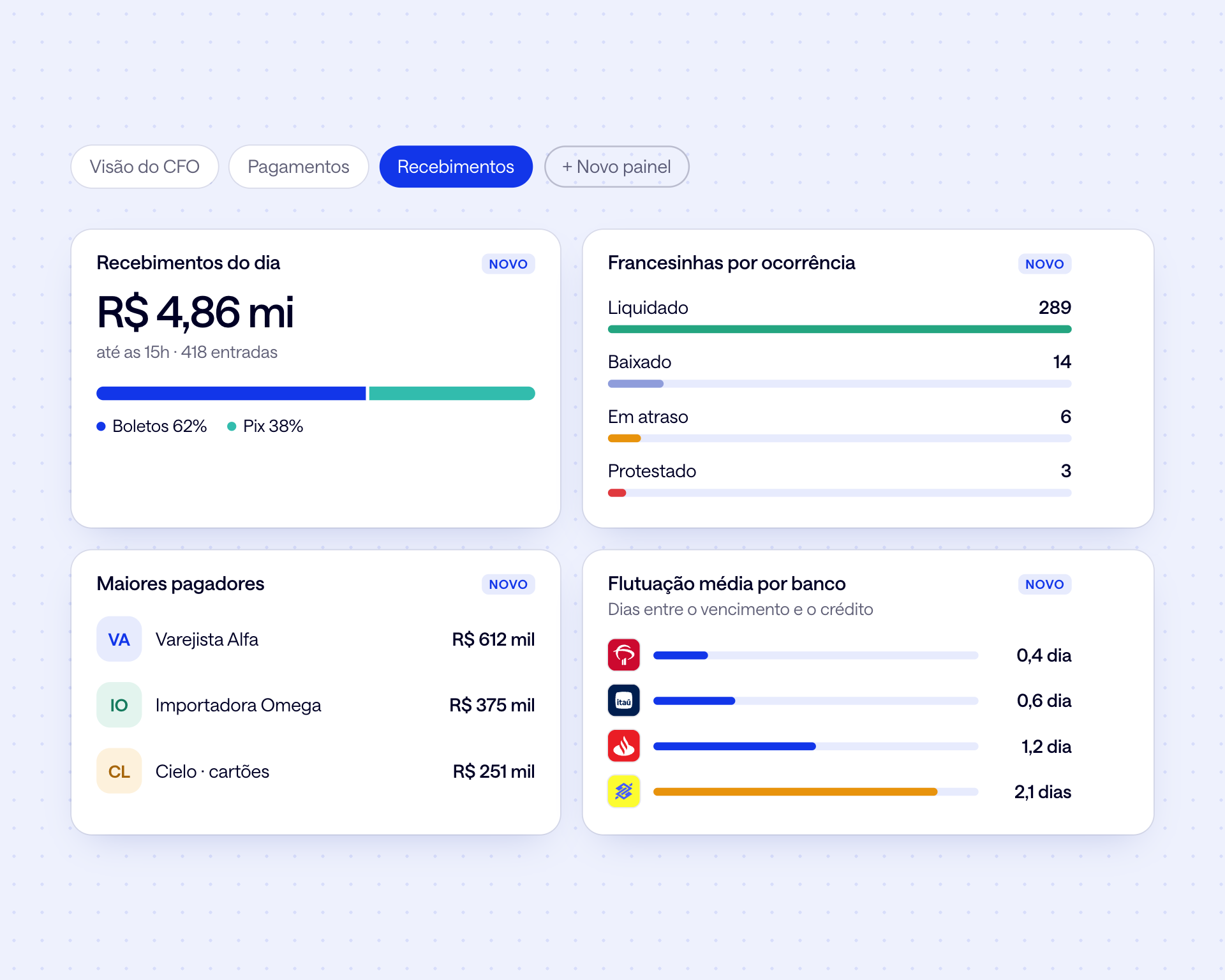
Your receivables dashboard
Today's receipts by method, collection reports by event, top payers and average float by bank, on a dashboard you build.
Collection reports from every bank
Bank reference number, your reference number, payer, amount, amount charged and float for every settled boleto, with no manual return files.
Pix received, with the payer
Every Pix with the payer's name and CPF or CNPJ, the account it landed in and the receipt.
Inflows in the cash flow
The day's credits go into the cash flow actuals, by category, next to the forecast. What came in today can be invested today.
By customer and by category
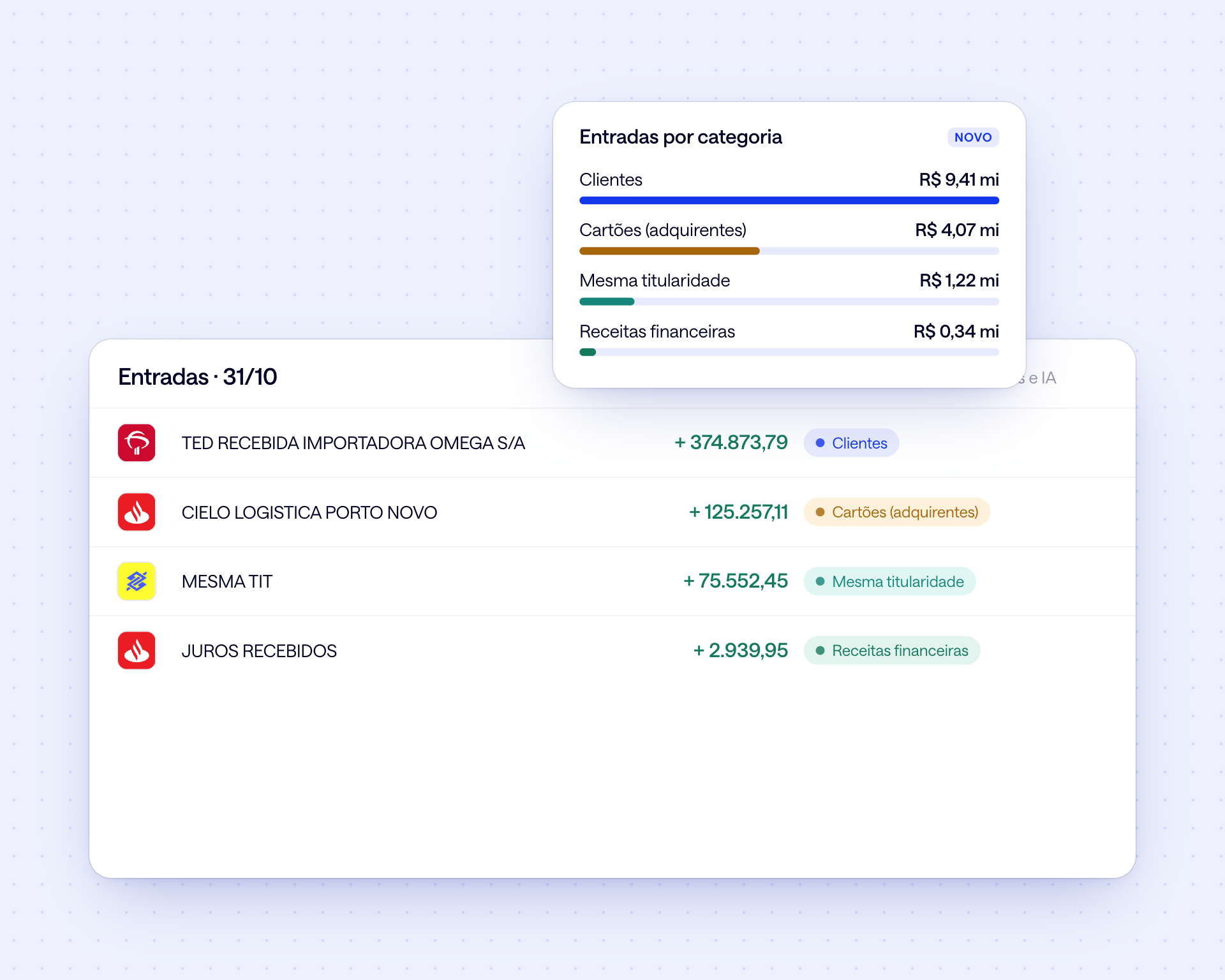
Rules and AI classify every inflow: customers, cards, financial income or same-owner transfers. Reports by bank, CNPJ and period in Excel or CSV.
What changes in practice

Collection reports from every bank, no return files
Pix received with the payer's name and tax ID
Late boletos with interest and penalties visible
Cleared in the ERP the same day, not at close
Today's inflows against the cash flow forecast
Inflows report by bank, CNPJ and period
Frequently asked questions
What is a francesinha and where does the data come from?

A francesinha is the collection report the bank issues listing settled boletos (Brazilian bank payment slips). Datanomik pulls this data directly from the connected banks and shows each boleto with reference number, payer, amount, amount charged and float, with no manual return files.
Do I need to send return files?
No. The data arrives through the connection with each bank, all in the same format. You just choose whether to export it as CSV or have your ERP fetch it through the API.
Does it show interest and penalties on late boletos?
Yes. Each boleto shows the face value, the amount charged and the float in days between the due date and payment. The difference is what came in as interest and penalties.
Do received Pix show the payer?
Yes, with the payer's name and CPF or CNPJ when the bank provides it, the account the Pix landed in and the receipt.
Can I integrate with my ERP?
Yes. Through the API, the ERP fetches boletos, Pix and transactions already standardized and clears the open invoices. To start without an integration, reports come out in Excel or CSV and can be scheduled by email.
Does Datanomik replace the collection system?
No. Your collection system still issues the boleto and manages the receivable. Datanomik handles the banking side: it shows what actually came in, into which account and when, and sends that standardized data back so the ERP can clear it.
Ready to transform your treasury?
Fill out the form and our team will get in touch shortly.

Allan Andrade
Datanomik Treasury Manager