Everything that left your banks, with the receipt right beside it.
Payments made across all your banks in a single list, with status, payee and PDF receipt. Plus the day's outflows against the cash flow forecast.
Paid, checked, filed. Without logging into each bank.

All payments together
TED wires, Pix, taxes and payroll paid across every bank and company in the group, in one list with payee, CNPJ and status.

Receipts without the hunt
The PDF of every payment and every Pix, downloaded one by one or in bulk. When the auditors ask, you deliver the same day.

Nothing fails silently
A payment rejected by the bank shows up the same day, with the reason given, before the supplier calls to chase it.
A day in accounts payable, from batch to receipt.
Three moments, without opening each bank to check
1. Morning: what goes out today
The day's expected outflows by category (suppliers, payroll, taxes and fees) next to the available balance across every bank. You know whether cash covers the batch before releasing it.
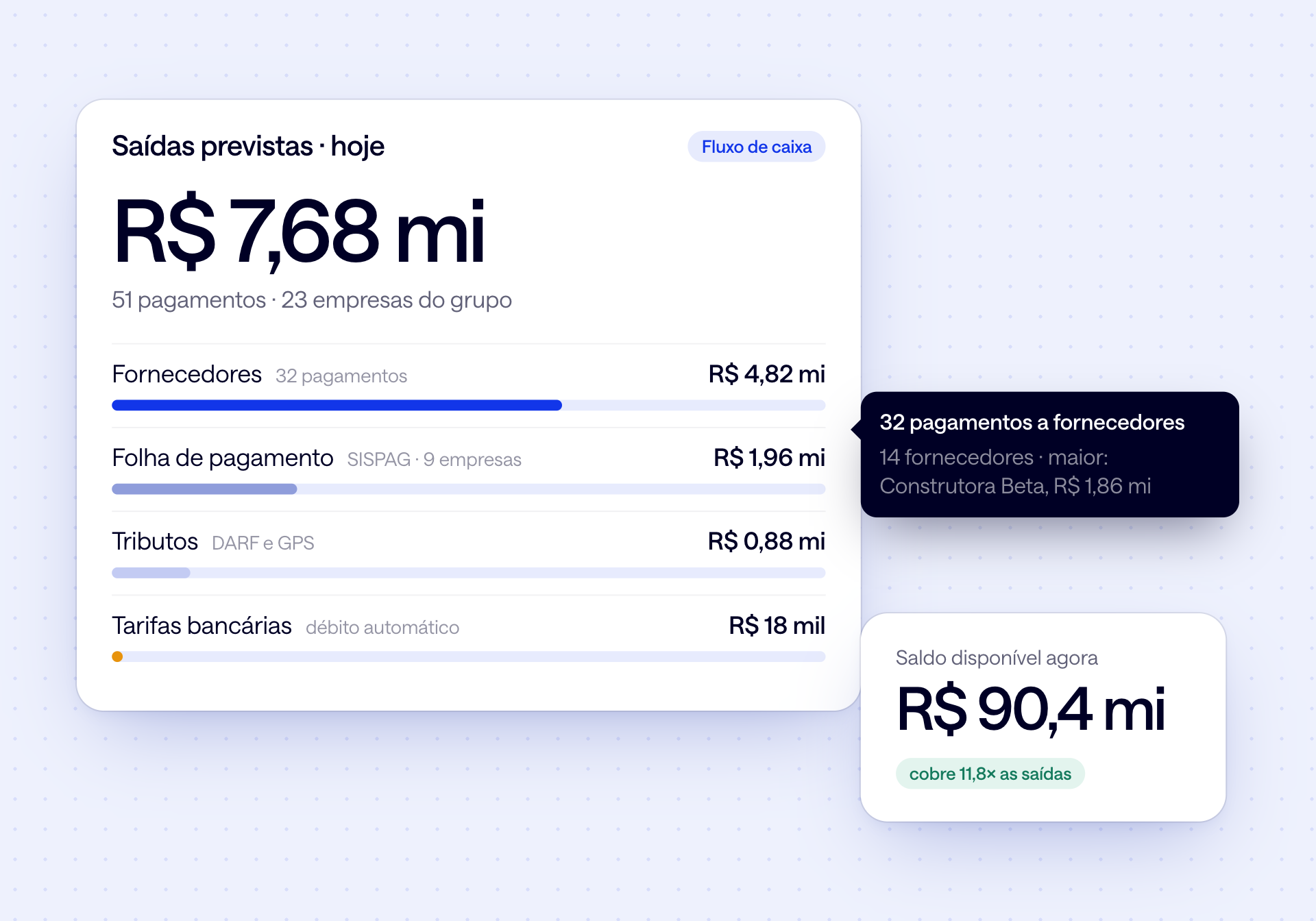
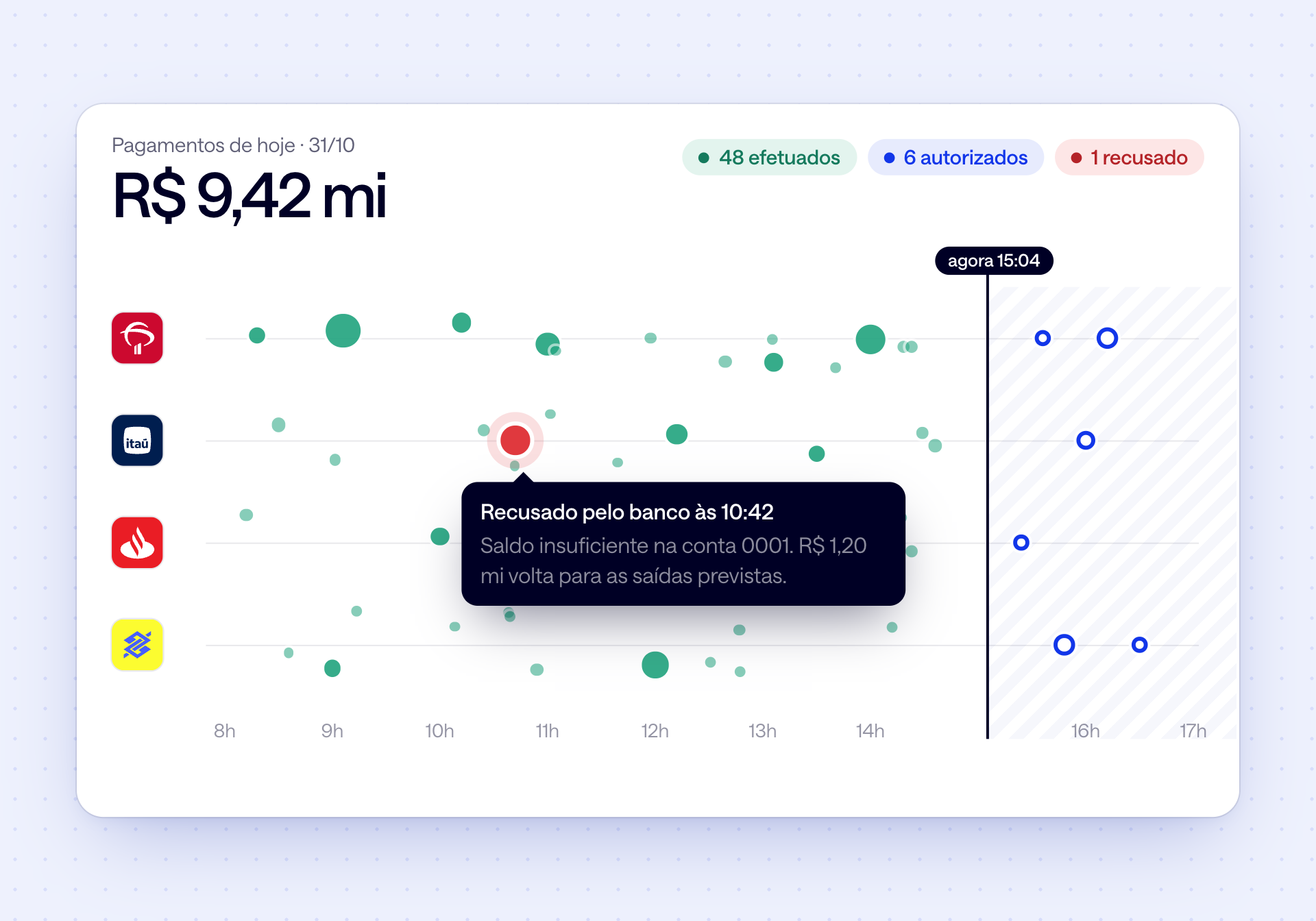
2. During the day: the status of each payment
Authorized, completed, scheduled or rejected, with the reason the bank gave. Anything rejected goes back to the list of expected outflows.
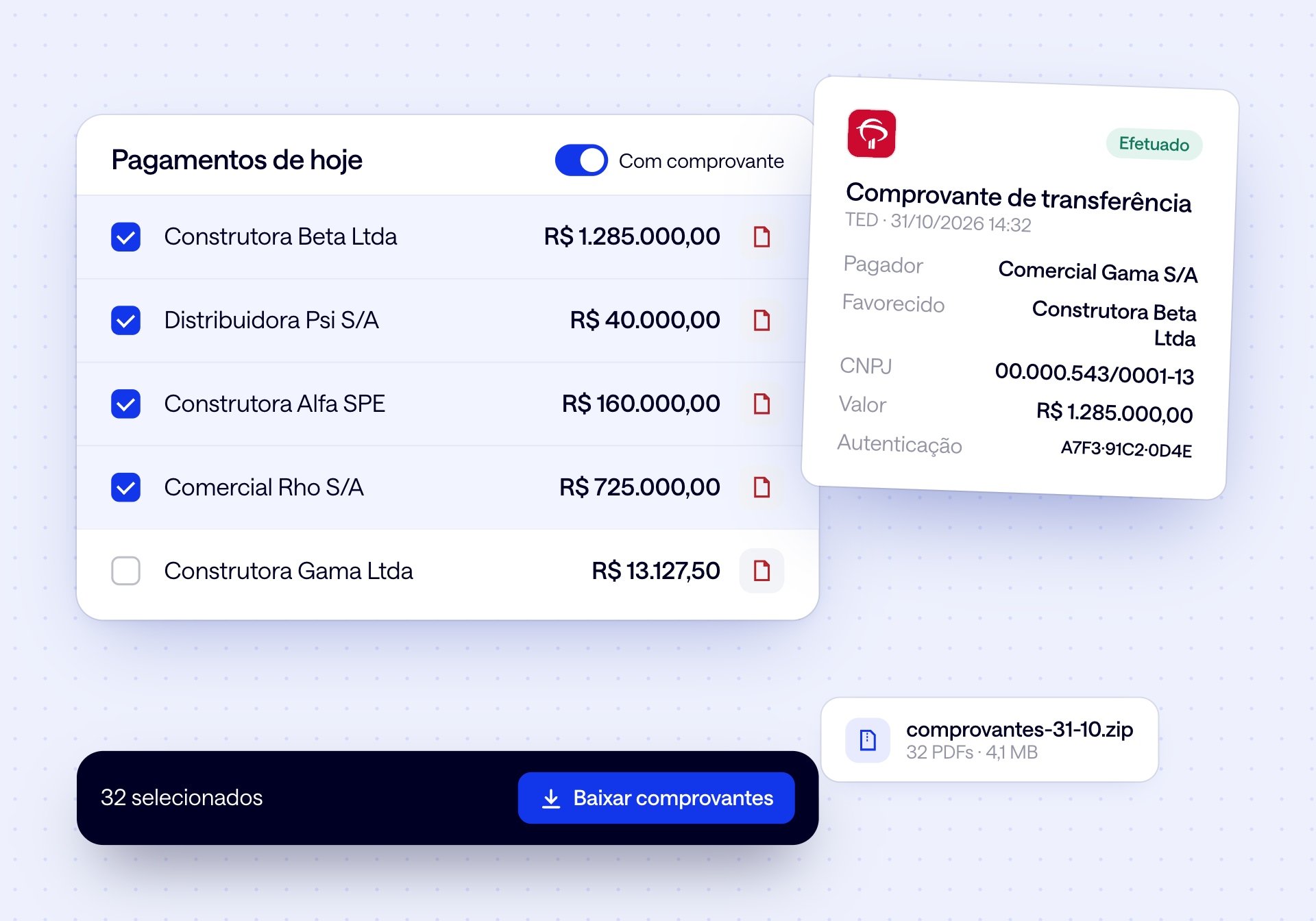
3. End of day: receipts filed
Select the payments and download the PDF receipts all at once, from every bank. What went out is already categorized in the cash flow actuals.
All of accounts payable, checked on one screen.
Payments, Pix, receipts and outflows from every bank, in the same place where you see your cash.
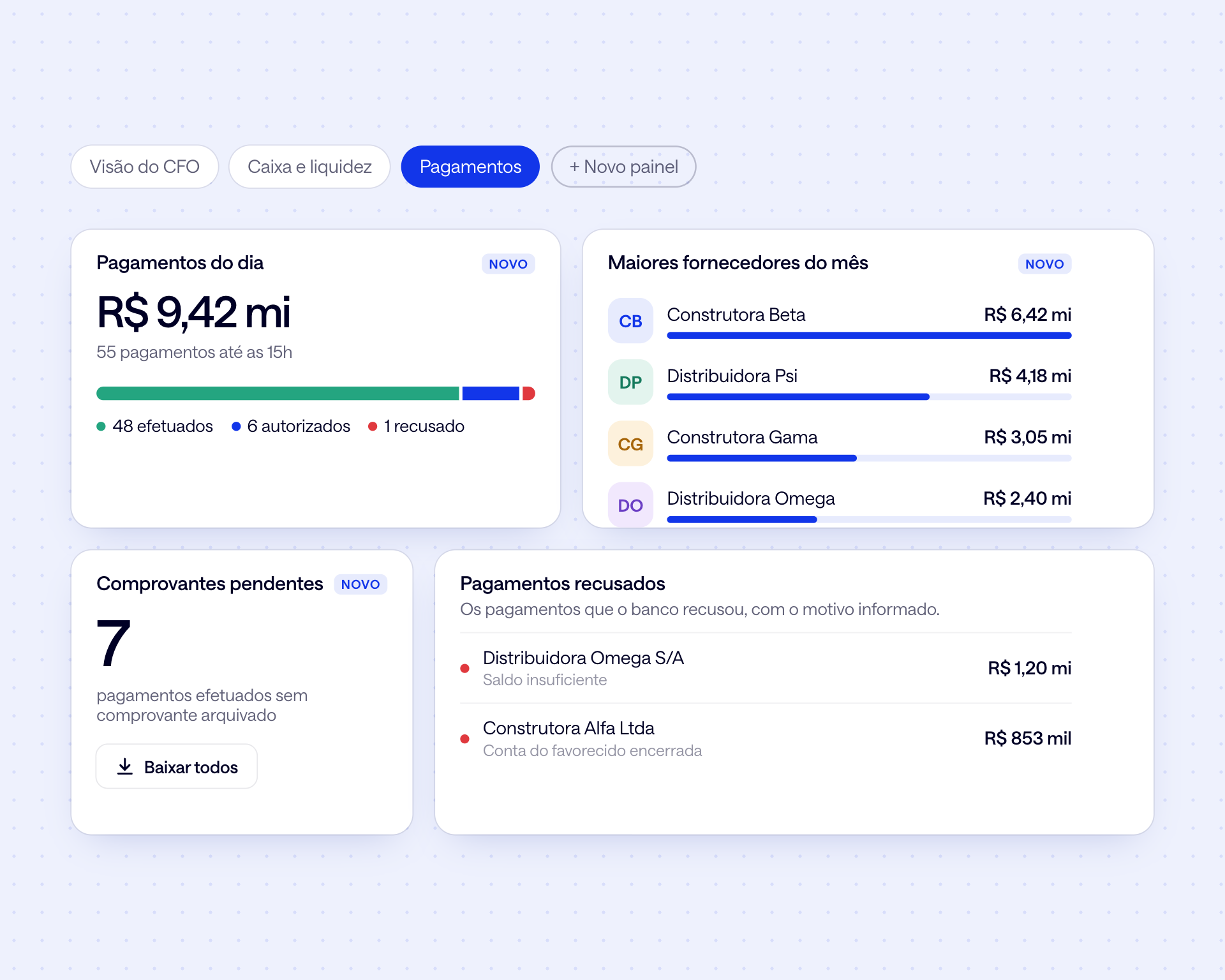
Your payments dashboard
Build a dashboard with accounts payable widgets: today's payments by status, pending receipts, rejected payments and the month's largest suppliers.
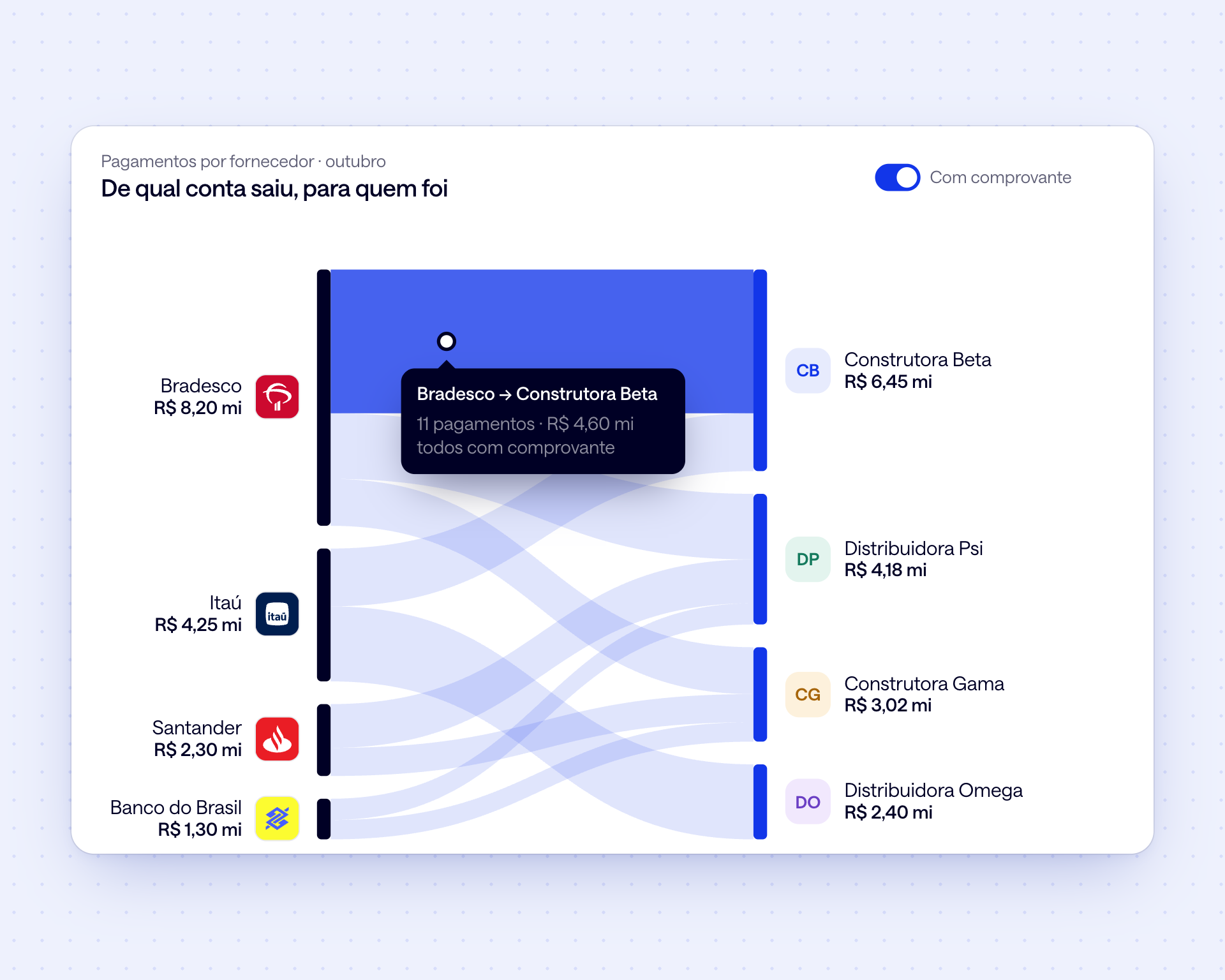
Payments by supplier
Which account each payment left from and who it went to, with payee, CNPJ, amount and status. Download the receipt for each one or for the whole batch.
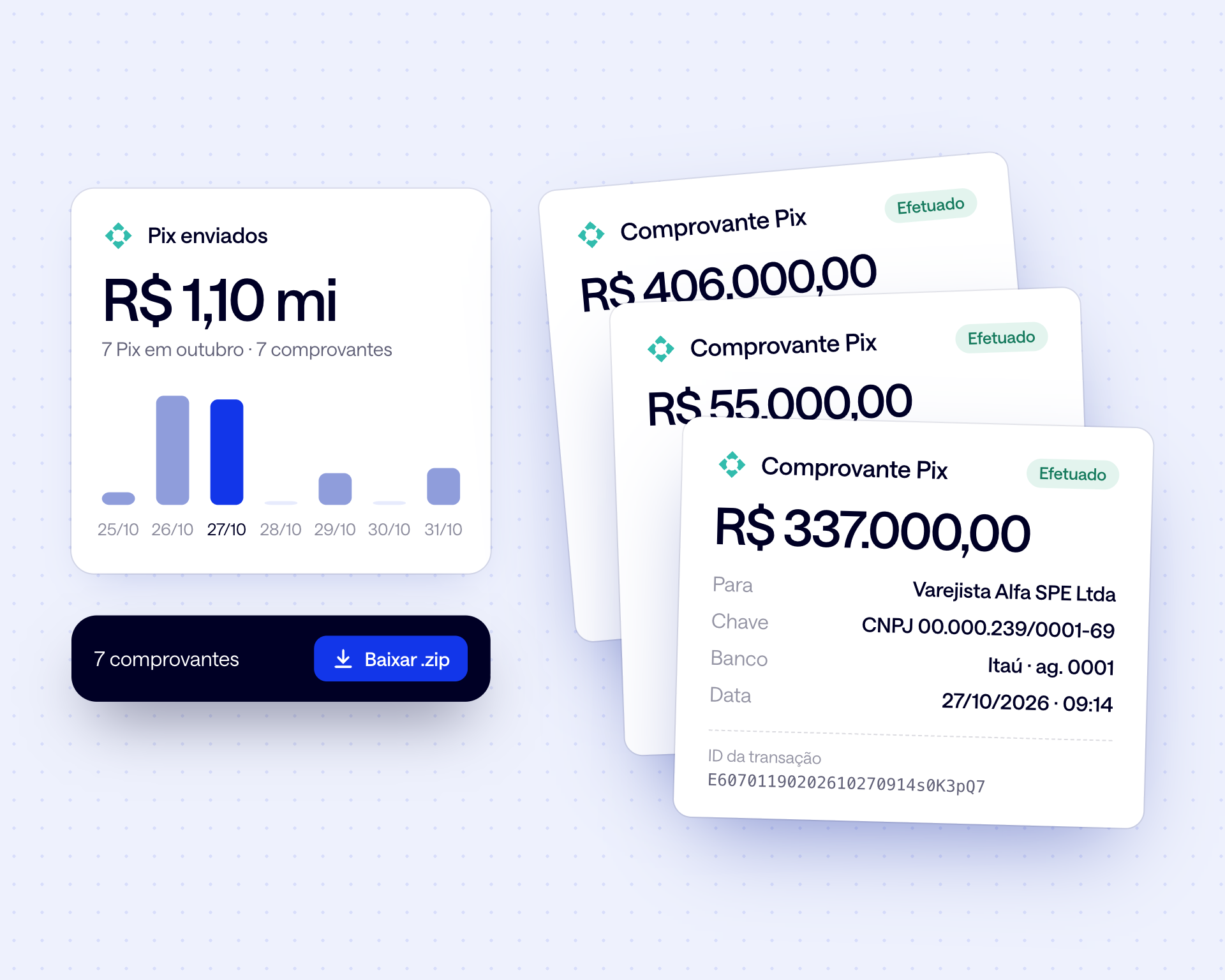
Pix sent, with receipts
Every Pix with payee, key and tax ID, and the PDF receipt one click away, even when they leave from different banks.
Outflows in the cash flow
What left each account goes into the cash flow actuals, by category, next to the forecast. The difference shows up the same day, not at close.

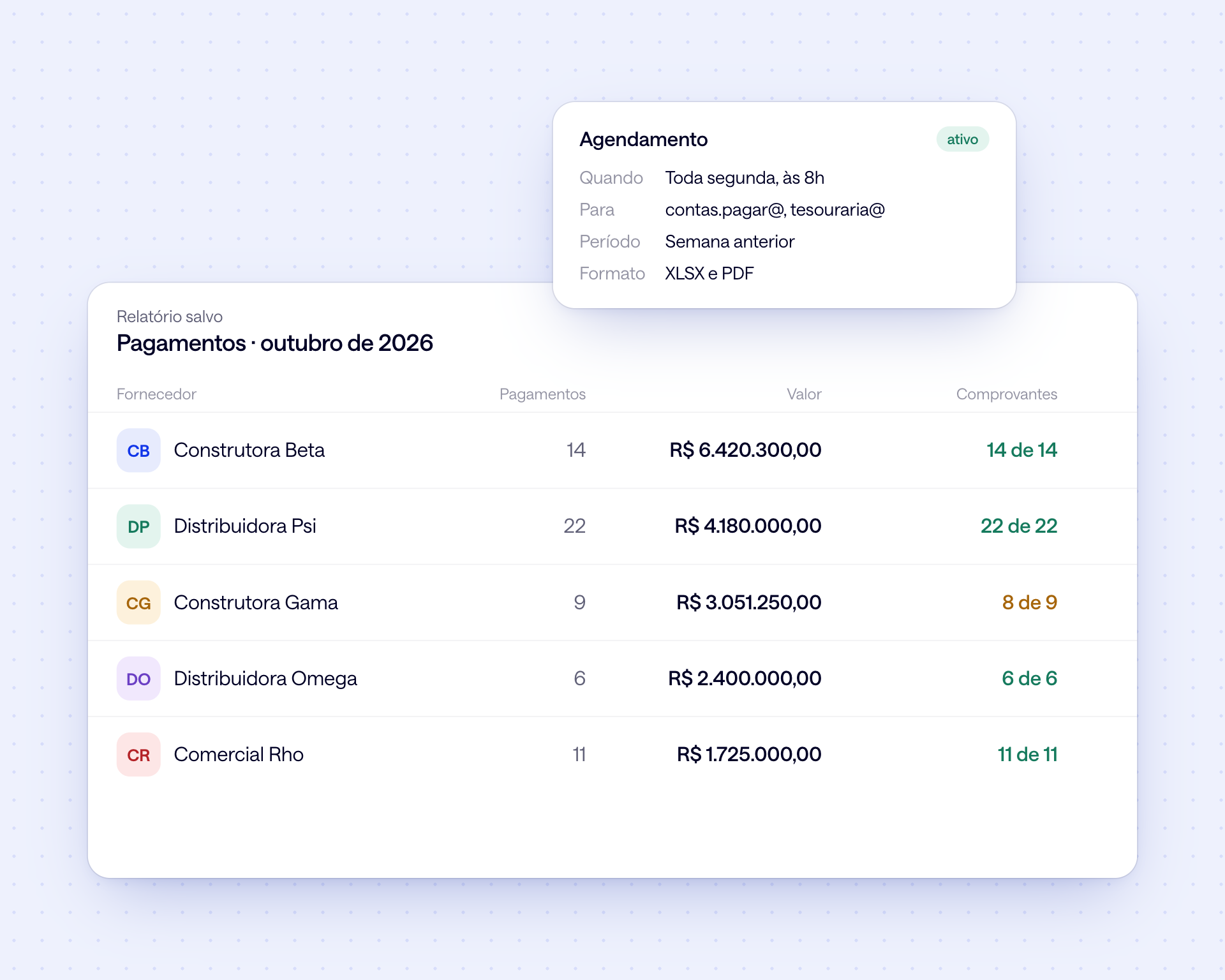
Audit-ready reports
Payments by supplier, bank, CNPJ and period, with the status of each receipt. In Excel or PDF, and scheduled by email to whoever needs them.
What changes in practice

Receipt for every payment one click away
Rejected payments spotted the same day
Pix sent with payee and tax ID
Today's outflows against the cash flow forecast
Payments report scheduled for the auditors
Accounts payable close without reconciliation spreadsheets
Frequently asked questions
Which types of payment show up?

TED wires, Pix, taxes and payroll paid from connected accounts, with payee, tax ID, amount, date and the status reported by the bank: scheduled, authorized, completed or rejected.
Can I download receipts in bulk?
Yes. In the payment and Pix lists, select what you need and download the PDF receipts all at once, from every connected bank. Receipts are also available through the API.
Does it work with every bank?
With the main banks in Brazil, through direct APIs and Open Finance. What each bank provides (payments, Pix, receipts) is listed on the bank coverage page.
Do payments flow into the cash flow?
Yes. Each outflow is categorized in the cash flow actuals, next to the forecast, by day, week or month. The gap between the forecast and what actually went out shows up the same day.
Does Datanomik execute the payments?
No. Payments are still made at your bank or in your ERP. Datanomik reads what was paid from each account, with status and receipt, and shows it all in one place.
Does Datanomik replace accounts payable in the ERP?
No. The ERP is still where the obligation originates, with supplier, invoice and approval. Datanomik is the banking layer: it shows what went out, with the receipt, and sends that data back to the ERP through reports or the API.
Ready to transform your treasury?
Fill out the form and our team will get in touch shortly.

Allan Andrade
Datanomik Treasury Manager