Month-end close with every bank statement at hand.
Statements from every account filed automatically, categorized transactions, daily reconciliation and debt and investment activity ready to post.
Less time gathering paperwork, more time analyzing.

Statements always complete
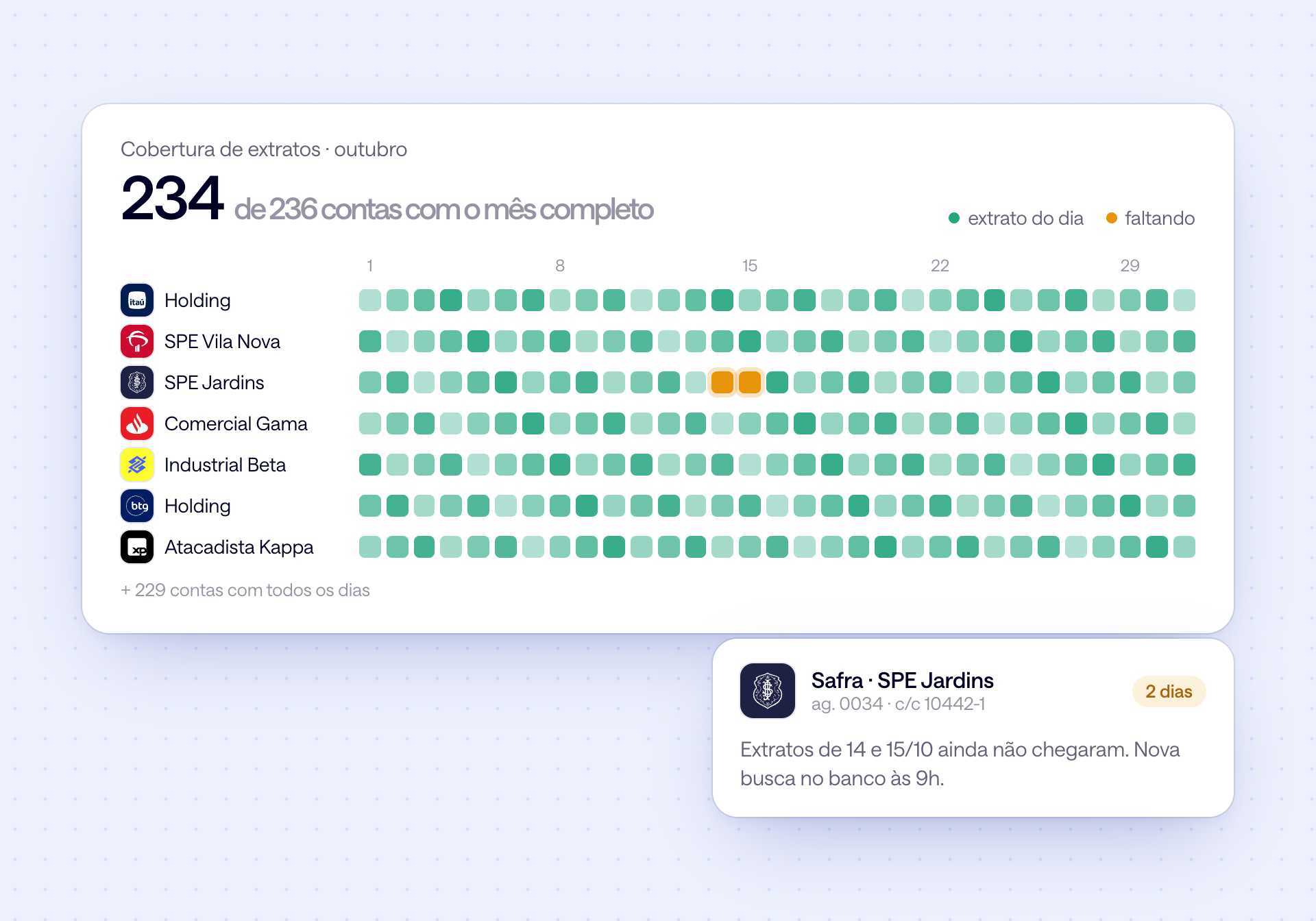
Statements for every account arrive from the banks and are filed by month, with any missing day flagged.

Categories that apply themselves
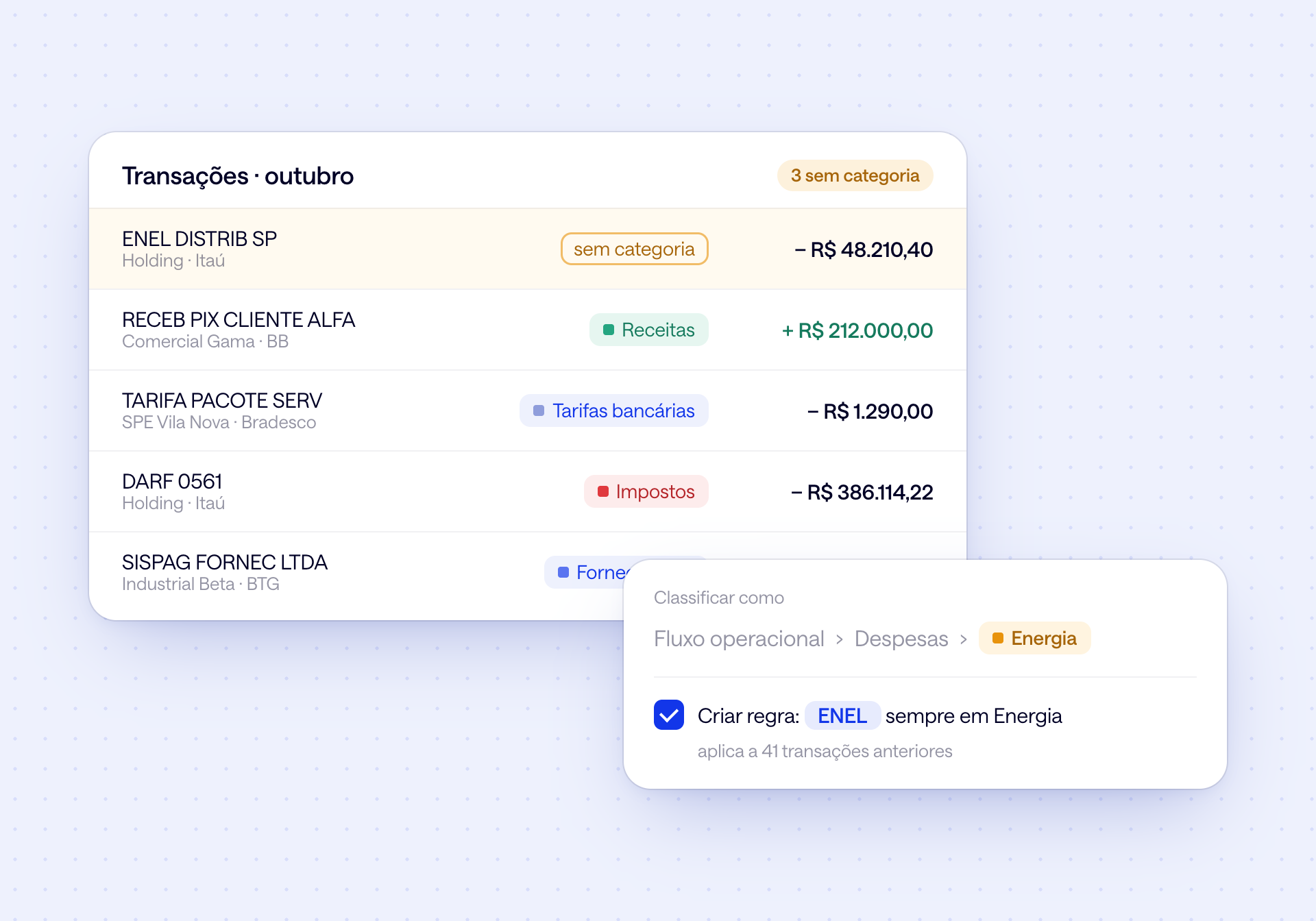
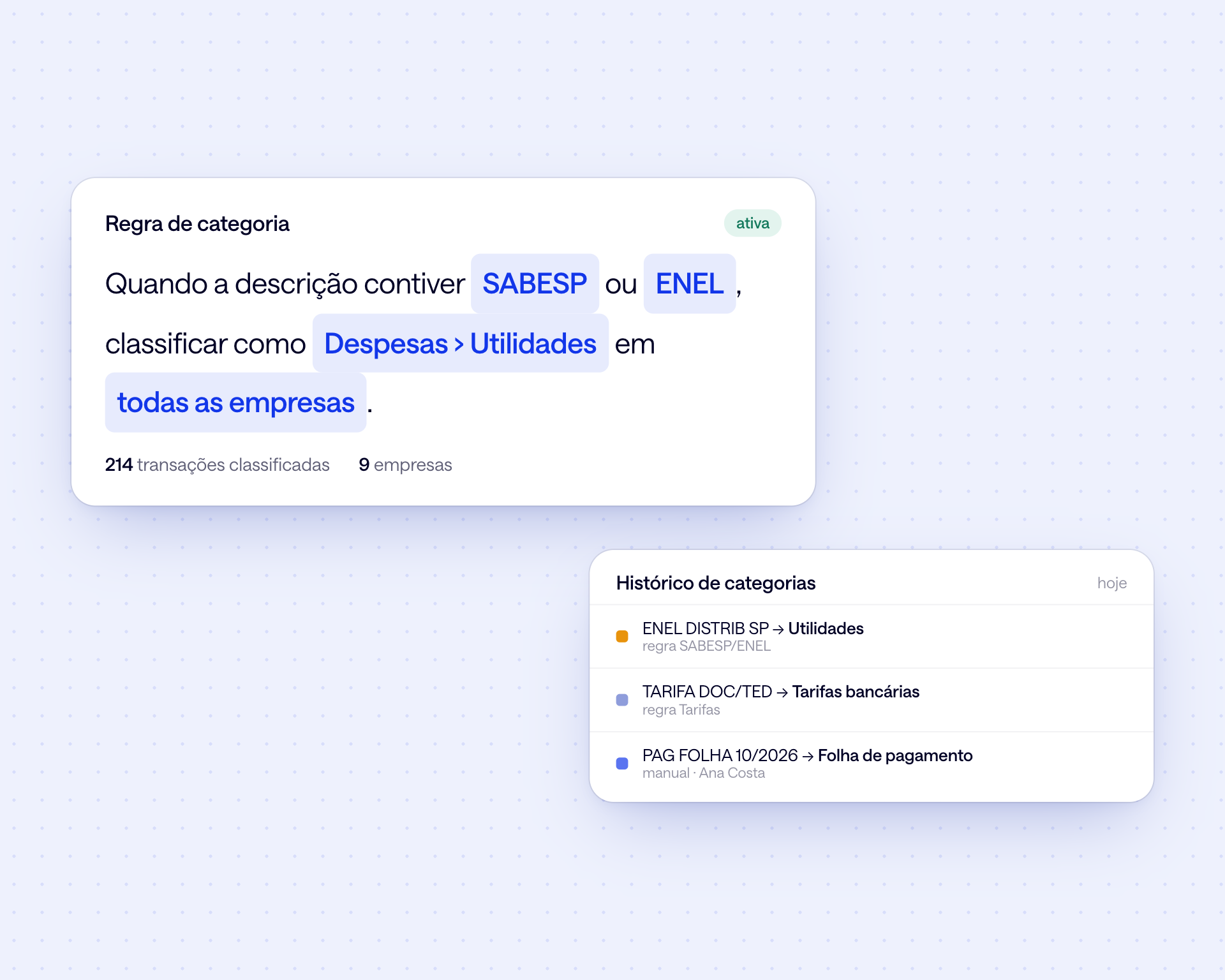
Rules by description, company or account classify every transaction, with a history of who changed what.

Numbers that tie out
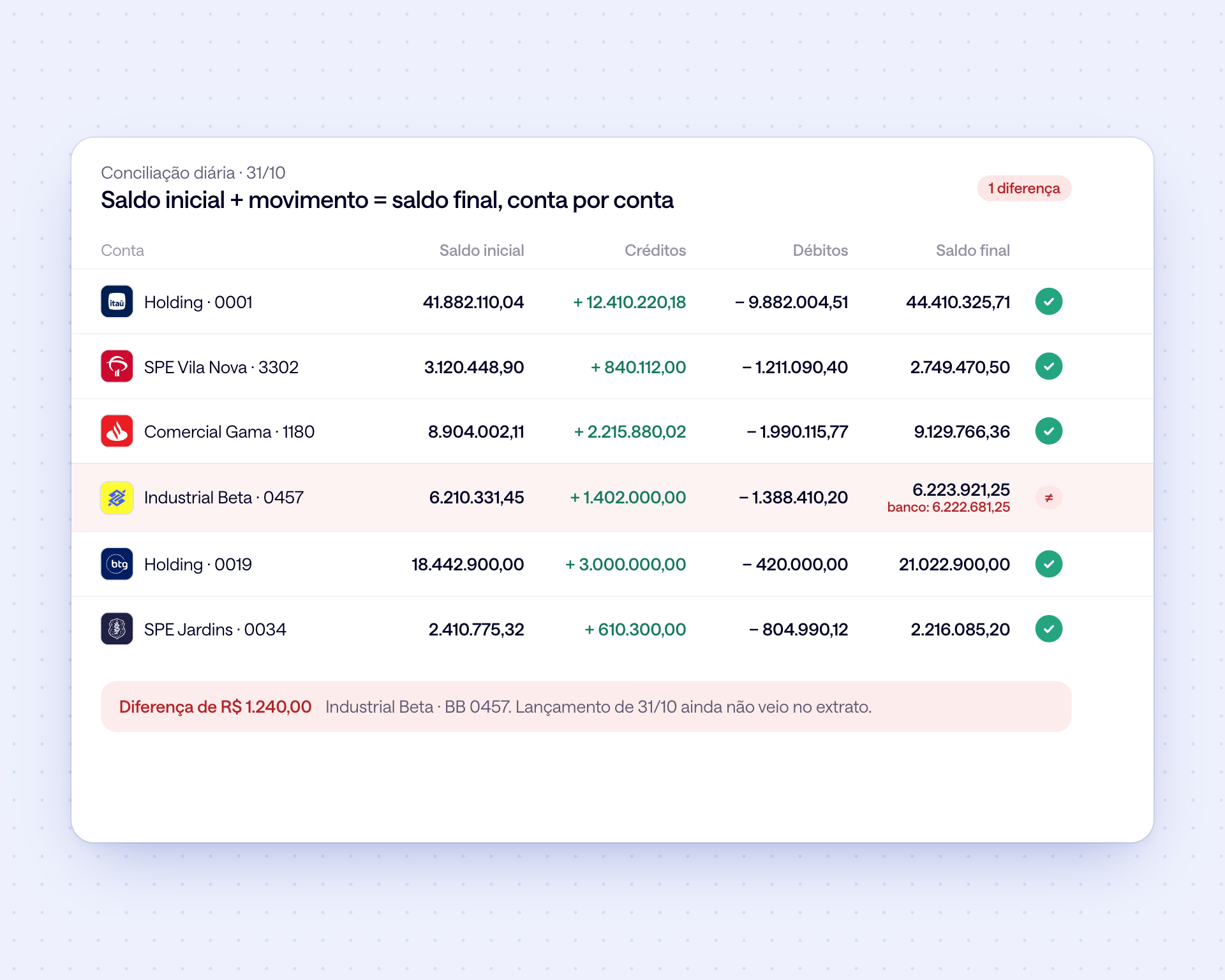
Opening balance, activity and closing balance checked every day, account by account.
From the first business day to a closed month.
Three moments of the close
1. Day 1: complete statements
Statement coverage shows which accounts have the full month and which day is still missing, before you start checking.
2. Days 2 to 4: classify and reconcile
Transactions arrive already categorized by your rules. The few left over you classify once, and that becomes a rule for the months ahead.
3. Day 5: post and file
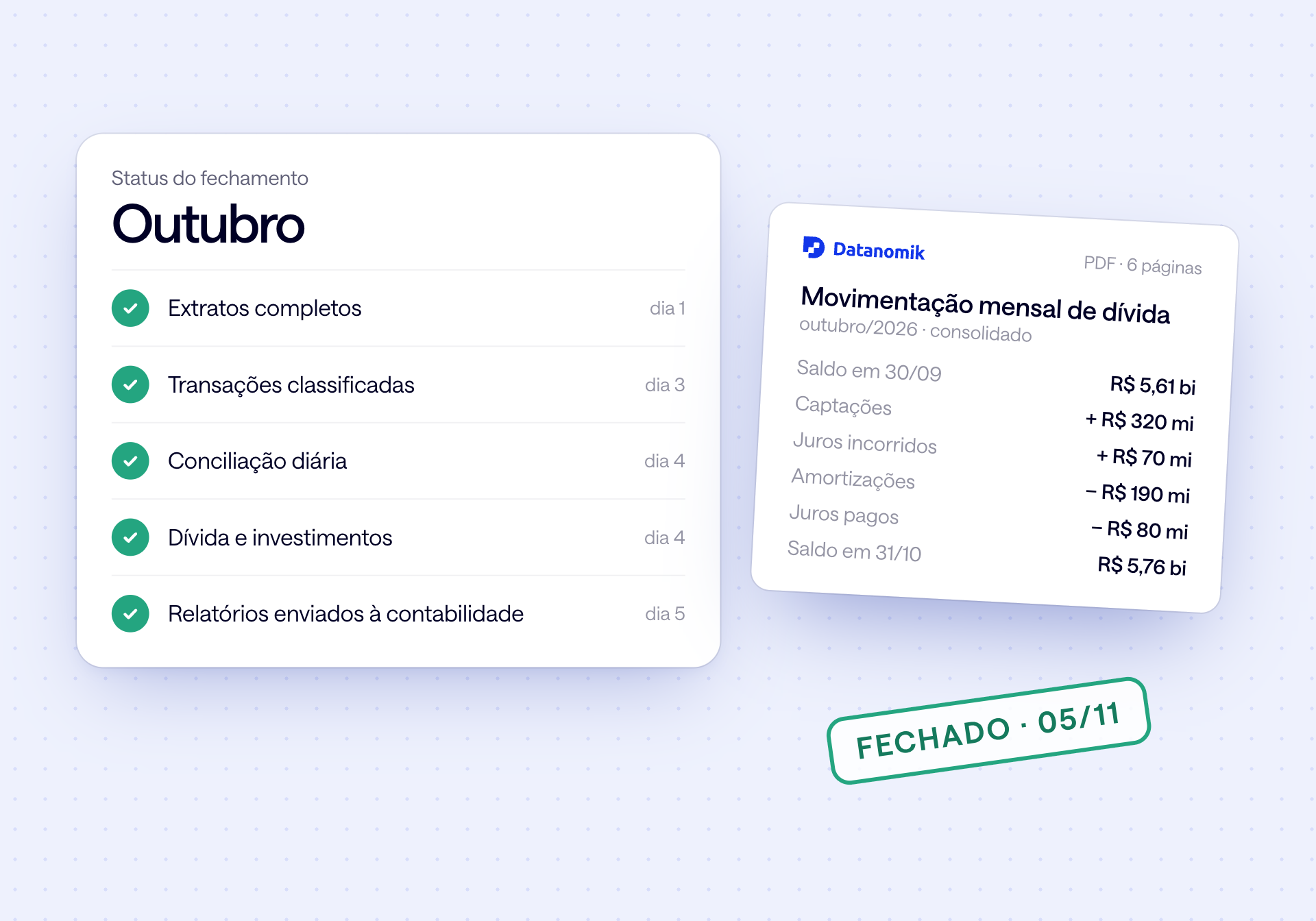
Debt activity, investment position and the month's reports come out ready in PDF and Excel for accounting to post.
Everything the close needs, in one place.
Statements, categories, reconciliation and the debt and investment reports for the whole group.
Your close dashboard
Statement coverage, uncategorized transactions, close status and reconciliation for the last few days on the same dashboard.

Statements and close
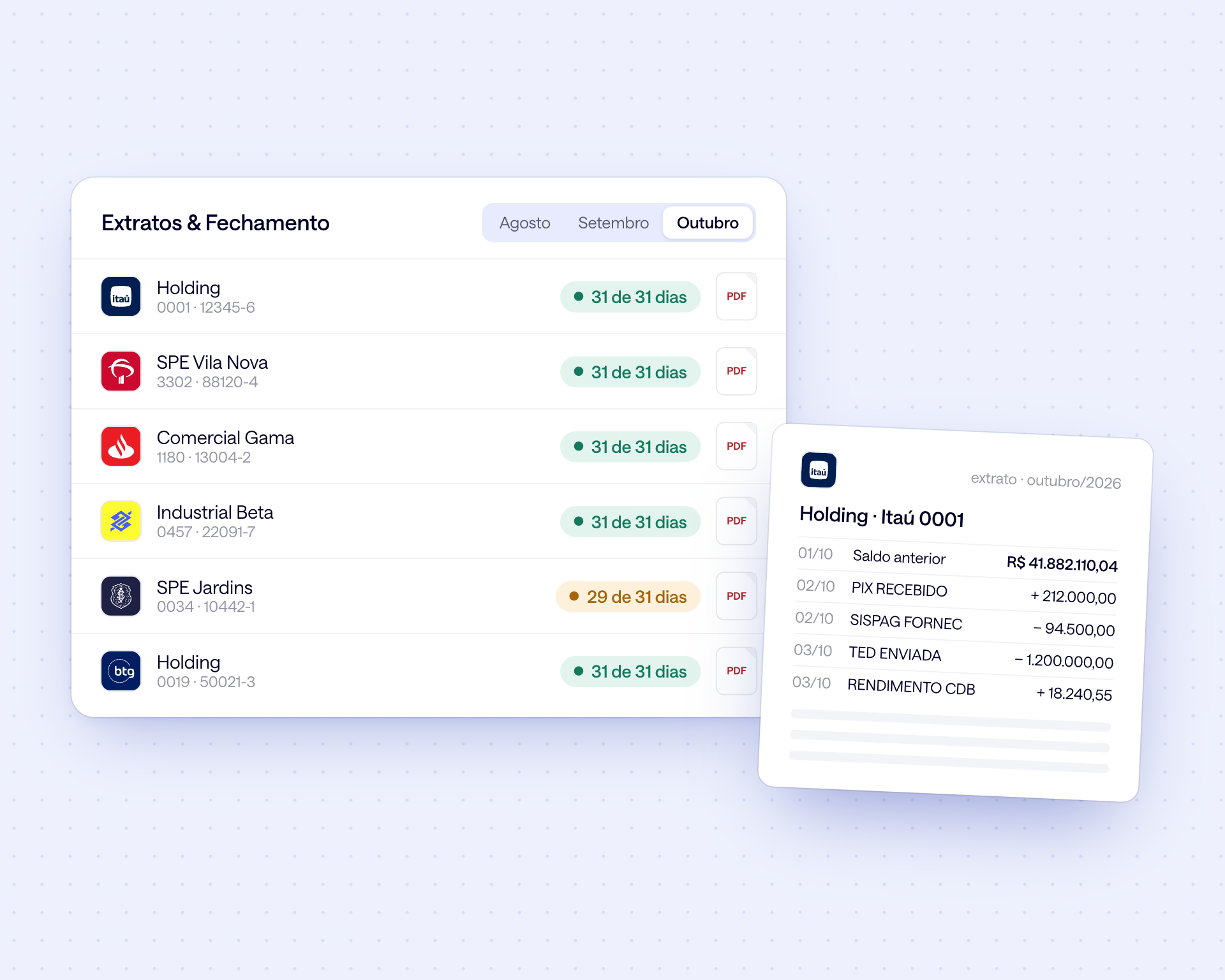
Each account's statement by month, to view on screen or download as PDF, with the days covered shown next to each one.
Rule-based categorization
Simple rules classify transactions for every company. Each change is kept in the category history.
Daily reconciliation
Opening balance plus credits minus debits against the bank balance, account by account. Any difference shows up with its likely cause.
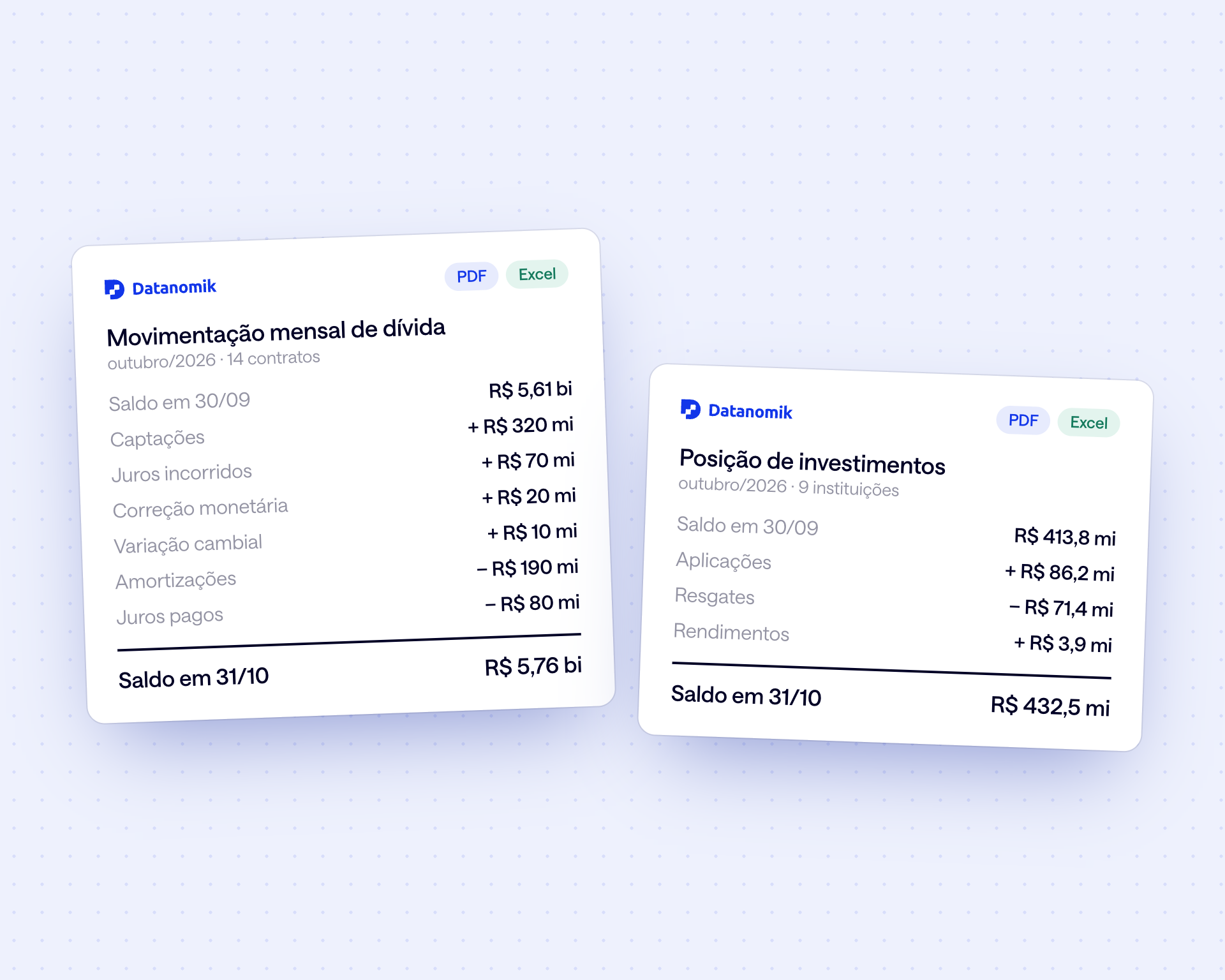
Debt and investments for accounting
Monthly debt activity and investment position, from opening to closing balance, ready to post.
What changes in practice

Month's statements complete on day 1
Missing days flagged, not discovered
Transactions classified by rule
Reconciliation gaps seen the same day
Debt activity ready to post
Monthly reports in PDF and Excel
Frequently asked questions
In which formats are statements available?

You view each statement on screen and download it as PDF. Transactions can also be exported to Excel or consumed through the API.
How does categorization work?
You create rules by description, company, account or amount, and they classify transactions for every company. Whatever a rule misses you classify once, and the change is kept in the history.
Can I take the data into my accounting ERP?
Yes. Reports come out in Excel and PDF, and the API delivers transactions, balances and statements to your ERP in the same format for every bank.
Is the debt activity report good for posting entries?
Yes. The monthly report shows opening balance, new funding, interest accrued, inflation adjustment, FX variation, amortizations, interest paid and closing balance by contract.
Do you keep the history of previous months?
Yes. Statements, transactions and reports are available by month, from the moment each account is connected.
What happens when a day's statement is missing?
The account appears in statement coverage with the missing day, you get a notice and Datanomik fetches it from the bank again.
Ready to transform your treasury?
Fill out the form and our team will get in touch shortly.

Allan Andrade
Datanomik Treasury Manager